
 |
The pictures on this page are from an FRU 02K4970 T2x keyboard. Other models are constructed a little differently but I believe that
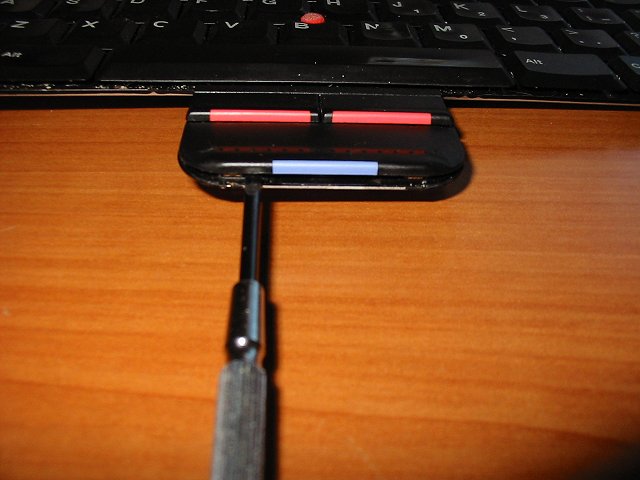
the instructions here will apply. It's a little bit easier to remove the center trackpoint button if the keyboard is taken off the system but it can be done with the keyboard still installed. Take care that you don't damage the keyboard bezel. Insert a small flat-bladed screwdriver betwen the edge of the button and the base of the keyboard, just to the outside edge of the blue stripe. A blade of about 1/8" (3mm) works pretty good. |
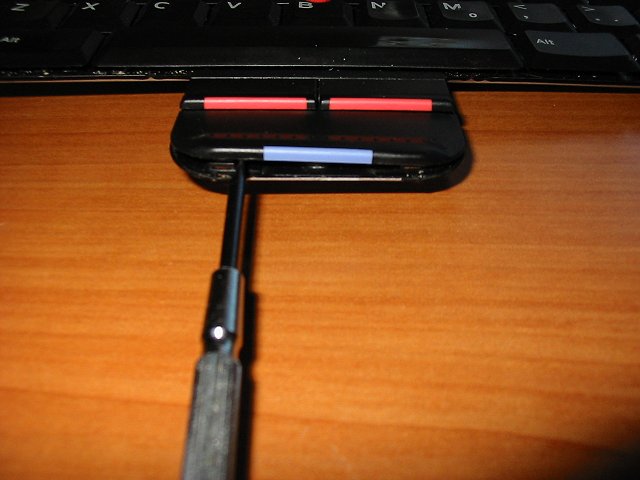 |
Twist the screwdriver, forcing the button up. You're using the width of the screwdriver blade to force apart the button from the base. There's two little clips which secures the button to the keyboard. What you need to do is separate the clips without breaking them :) . |
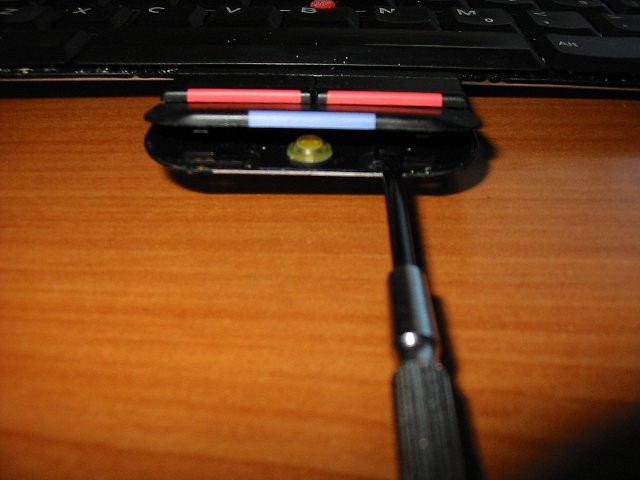 |
Do the same thing on the other side of the blue stripe; insert the screwdriver and twist to lift the button. Keep a free hand over the button or cover it with a towel to prevent the button (and possibly the rubber dome underneath) to fly across the room. |
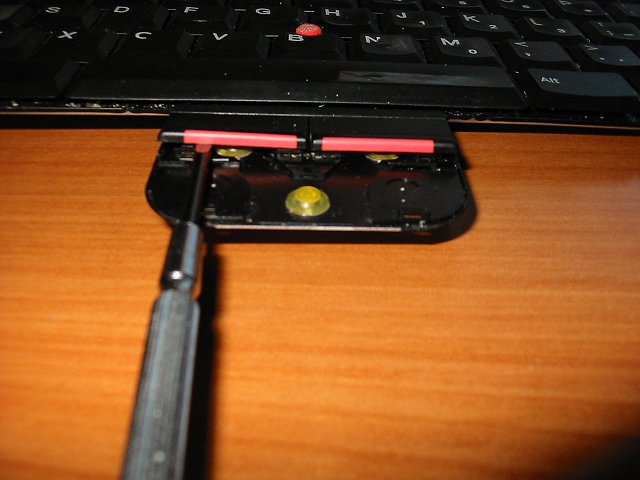 |
Once the center button is removed, it's a little bit easier to get to the left and right buttons. Using the left button as an example, do the same thing as before. The placement of the screwdriver is just to the inside edges of the red stripe. |
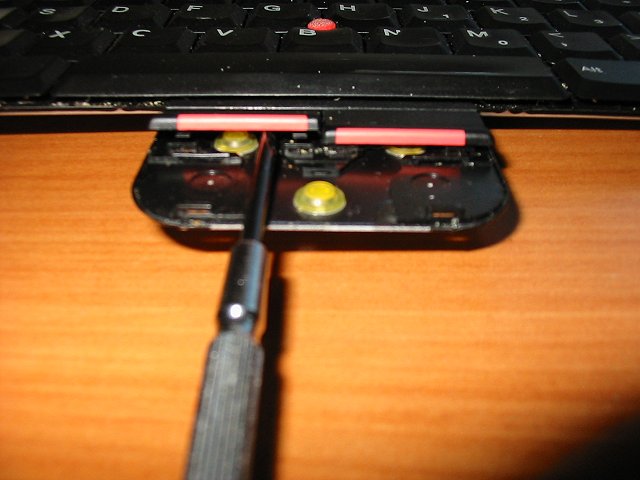 |
Here you can see that the other clip has been detached and the button cover free to swing up and off. |
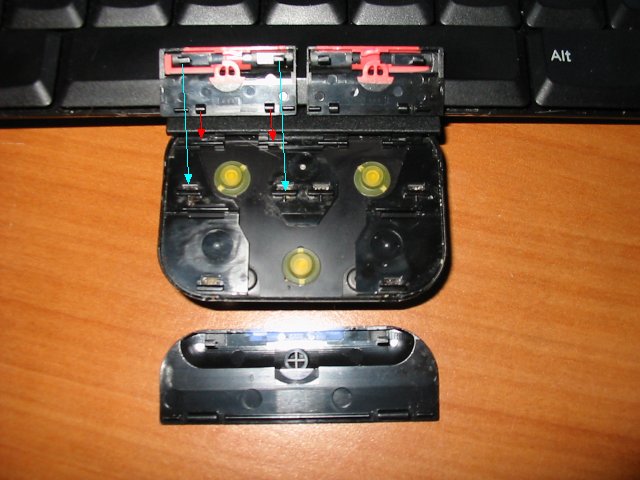 |
Towards the "back" side of each button, are two half-circle clips which fits under a plastic rod or bar. This allows the button to swing like a hinge. The only thing that keeps it from coming loose from the keyboard (besides keeping ones cats away from it), are the two clips at the "front" edge. So it's real easy to re-install them; just hook the two half-circles under the bars, making sure that the rubber dome (on this keyboard, the yellow circles) is still in place and press firmly down along the front edge of the button. You should hear a loud snap as the button locks in place. |